In a world where the digital environment changes faster than we can update software, protecting personal information comes to the forefront. Today, privacy is not an abstract concept, but a concrete necessity. Understanding the variety of technologies and choosing the right device for storing data is not an easy task. After all, it is important to consider everything: from the level of protection and ease of use to the physical design of the device and the amount of memory. And if you work with sensitive information, you will also have to take into account the requirements of such strict regulators as GDPR, HIPAA, CCPA, NIS2 and DORA.
Many people focus on protecting data on the Internet – encrypting traffic, setting up VPN and two-factor authentication. But they often forget that portable storage devices such as flash drives and external SSDs can also become a weak link. The wrong device is a potential information leak, legal consequences and, in the worst case, serious fines. With cyber-hacking tools evolving at a rapid pace, it’s more important than ever to choose storage devices with reliable security, especially those with hardware encryption. With so many options on the market, USB drives and SSDs from trusted brands deserve special attention because they offer a high level of security and meet modern standards.
However, it’s worth remembering: not all devices labeled as “encrypted” are created equal. Real security depends on many factors — the level of encryption, the reputation of the manufacturer, the built-in security mechanisms, and even how easily the device fits into your current workflow. By choosing a reliable storage device, you’re not just protecting your data — you’re investing in the confidence that your files will be safe and sound tomorrow. And at the same time, you’re reducing the risks associated with leaks and demonstrating a commitment to high standards of information security.
- Mandatory security features
- Reliable manufacturer
- Hardware encryption
- Smart Defense Against Password-Guessing Attacks
- Encryption That Never Sleeps
- Tested, Trusted, and Certified for Peace of Mind
- Advanced features and protection methods
- Safeguarding Against BadUSB Threats
- Boosting User Convenience
- No Need for Software Installation
- Fingerprints vs. Passwords: Which Is Really More Secure
- Isolated backup — protection from ransomware and failures
- HDD vs SATA vs NVMe on a Dedicated Server
- Key findings
Mandatory security features
Reliable manufacturer
When it comes to protecting your data, the most important thing is to make the right choice. Reliability here does not start with price, but with experience and reputation. It is best to trust companies that have been developing solutions for information protection for decades – and not just doing it on paper, but testing their products in real conditions, including with the help of independent examinations for resistance to hacking.
Yes, the market is full of inexpensive devices from little-known brands. But often the low price hides the lack of real protection – in fact, these are just external drives without any security guarantees.
Kingston has a completely different approach. For more than 20 years, the company has been developing reliable drives with hardware encryption. They are trusted by the largest corporations from the Fortune 100 list, government agencies and even the military. And these are not just words – their devices have been proving their effectiveness for years where error is unacceptable.
Hardware encryption
When selecting a storage device, one of the most important factors to consider is the type of encryption used, as not all encryption methods provide the same level of security. Imagine encryption as the front door to your home: while mesh, plywood, and steel doors may all claim to offer some level of protection, only one can truly withstand attempts at forced entry.
This analogy holds true for various encryption types as well: hardware encryption is generally much more secure than software encryption, which can be susceptible to brute-force attacks. The Advanced Encryption Standard (AES) in 256-bit XTS mode is widely recognized as the gold standard, delivering robust protection against data breaches and unauthorized access. Hardware encryption ensures that encryption keys are securely stored on the device itself, significantly lowering the risk of exposure compared to software encryption, which may put keys at risk through the connected computer.
In addition to enhanced security, hardware encryption also offers greater efficiency, as it offloads the encryption process from the host system. This means that even if your computer is compromised, your data remains secure on the device. All Kingston IronKey drives utilize built-in, always-active hardware encryption using XTS-AES 256-bit to ensure reliable data protection. These drives are meticulously engineered from the ground up as dedicated data security devices, incorporating secure microprocessors equipped with certified XTS-AES 256-bit encryption. This commitment to security reflects the importance of safeguarding your sensitive information in today’s digital landscape.
Smart Defense Against Password-Guessing Attacks
Modern threats don’t knock politely—they try every trick to break in, especially through password guessing. That’s why secure storage must do more than store—it must fight back. A well-designed, hardware-encrypted drive will lock down and erase its data if someone keeps trying the wrong password, making sure the information stays safe, even from persistent attackers. Every IronKey drive comes with this defense built in. If the wrong password is entered too many times, the device doesn’t just lock—it initiates a full cryptographic wipe, rendering the data permanently inaccessible.
Encryption That Never Sleeps
Encryption shouldn’t be something you remember to turn on—it should be built in and always active, no exceptions. Some basic consumer drives allow encryption to be disabled, which might feel convenient but opens the door to disaster. In government agencies and corporate environments, that’s not just a risk—it’s a potential compliance nightmare. IronKey devices keep encryption running constantly in the background, so your data stays locked down even if someone makes a mistake or forgets a setting.
Tested, Trusted, and Certified for Peace of Mind
When it comes to protecting sensitive data, trust isn’t enough—proof is required. The U.S. National Institute of Standards and Technology (NIST) set the gold standard with AES 256-bit encryption, which is now used worldwide to keep data secure. Drives that meet strict certifications like the latest FIPS 140-3 Level 3 aren’t just secure—they’ve been battle-tested in certified labs to resist tampering and leaks. For military, government, and any business handling confidential data, these certifications aren’t just nice to have—they’re essential.
Kingston’s IronKey Vault Privacy 50 (VP50) and Vault Privacy 80 (VP80ES) external SSDs are validated under the FIPS 197 standard, confirming robust XTS-AES 256-bit encryption. The Keypad 200 (KP200) line and the high-performance D500S drives are certified—or in final approval—for FIPS 140-3 Level 3, meaning they’re built to withstand even physical tampering, offering next-level security inside and out.

Advanced features and protection methods
Safeguarding Against BadUSB Threats
BadUSB threats take advantage of weaknesses in USB drive firmware to introduce malware. To defend against this kind of attack, USB drives that feature encrypted RSA 2048-bit firmware (often known as digitally signed firmware) can be quite effective. The secure processors within these drives authenticate the firmware upon startup, ensuring the drive self-disables to protect data if the signature does not align.
Boosting User Convenience
USB drives that allow for multiple passwords and include user-friendly features—such as entering passphrases with free-text support and international characters through a graphical user interface (GUI)—can enhance security without compromising ease of use. These functionalities enable users to create intricate yet memorable passwords that are more challenging for hackers to guess. For example, Kingston IronKey drives integrate many of the features suggested by NIST, including the ability to use passphrases instead of strictly complex passwords.
No Need for Software Installation
Certain USB drives require software downloads to activate encryption, which can increase the risk of data exposure. If a drive relies on software, it might remain unprotected. Drives that house authentication software in a secure partition present a more secure and dependable solution. Moreover, drives featuring hardware encryption with keypads or touchscreens—such as the Kingston IronKey Keypad 200 (KP200) or Vault Privacy 80 (VP80ES) external SSDs—completely remove the necessity for software to unlock them. This makes these devices more adaptable, as they are not tied to any specific operating system.
Fingerprints vs. Passwords: Which Is Really More Secure
At first glance, it seems that biometric authentication — for example, fingerprints — is the pinnacle of security. But in reality, things are not so clear-cut. Especially when it comes to using such technologies in USB drives: the limited capabilities of their controllers often reduce overall reliability. In addition, fingerprint scanners do not always work perfectly: errors occur when recognizing even legitimate users. And attackers have long learned to bypass simple biometric protection. Given these risks, choosing USB devices with serious hardware encryption and complex, secure passwords is often much more justified for protecting important information.
Isolated backup — protection from ransomware and failures
Modern threats such as ransomware and malware require not just backup, but reasonable and isolated backup. Especially for small and medium-sized businesses, it is critical to find a solution that is balanced in price and efficiency, which will ensure stability and help avoid long downtimes. One good option is to use devices like the IronKey Vault Privacy 80ES (VP80ES), which support up to 8 TB of storage. These devices are physically isolated from the network – it is impossible to connect to them remotely, which significantly increases the level of security.
To reliably protect data and speed up recovery in any force majeure, it is worth sticking to the time-tested “3-2-1” strategy: always have three copies of data located on two different types of media, with at least one copy located outside the office.

HDD vs SATA vs NVMe on a Dedicated Server
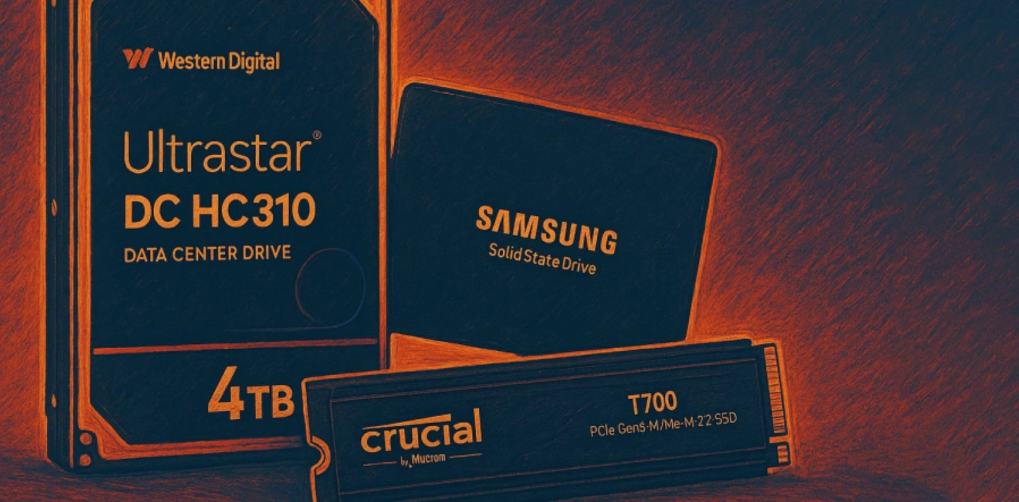
When choosing a dedicated server with the right storage solution, take a moment to explore our comparison table — it breaks down the key specs of the most popular options to help you make a confident, informed decision.
SSD TYPES COMPARISON — 2025
Key findings
Selecting the right storage solution for your data is a vital step in defending against cyber threats and ensuring compliance with industry regulations. Before finalizing your choice, it’s important to thoroughly assess the provider to confirm they possess significant expertise in developing data protection solutions. Steer clear of relying on software encryption with consumer-grade USB drives, as these often lack the robust security needed for sensitive data. Instead, choose devices that feature hardware encryption utilizing XTS-AES 256-bit, which provides a high level of security. These drives should have continuous encryption enabled and strong safeguards against brute-force attacks and BadUSB vulnerabilities. Additionally, seek devices that carry certifications like FIPS 197 or FIPS 140-3 Level 3 to guarantee they adhere to the highest security benchmarks. If a manufacturer engages independent testing firms to evaluate their drives’ vulnerability, it reflects a thoughtfully designed product that prioritizes user security.
Different organizations have varied needs when it comes to data protection and security, and it’s crucial to select a solution that aligns with those requirements. The Kingston IronKey drives effectively address these diverse needs. For the storage of extremely sensitive information, the leading IronKey D500S S (IKD500S) drives, together with the Keypad 200 (KP200) series, deliver military-grade security, backed by architectures that comply with FIPS 140-3 Level 3. These devices are designed not just for security but also for ease of use, ensuring that your data remains protected without compromising accessibility. Meanwhile, for small to medium enterprises, the Vault Privacy 50 (VP50) series and Vault Privacy 80 (VP80ES) external SSDs are perfectly suited for widespread deployment by IT administrators, providing a balance of security and manageability.
In terms of safeguarding confidential information, businesses and governmental organizations must prioritize security above all else. By investing in solutions from a reputable manufacturer like Kingston Technology, renowned for its reliable data security expertise, you can effectively protect your data and minimize the risk of costly breaches resulting from loss, theft, or device compromise. In an era where data breaches are increasingly common, ensuring that your data storage solutions are both secure and compliant is not just a choice—it’s a necessity for any responsible organization.