Many professionals, ranging from doctors and lawyers to business executives, frequently rely on password protection for files they send via email, such as PDFs and Excel documents. They often believe this method keeps their sensitive information safe from unauthorized access. However, the reality is that standard password protection is not nearly as secure as it might seem. In fact, there are far more effective approaches to safeguarding files and storage devices.
At its core, password protection without encrypting the actual data is largely ineffective, as this security measure can be easily bypassed by those with the right tools and knowledge. When security experts discuss password protection, they typically focus only on the method used to access the data. In most cases, the data itself is equipped with its own physical safeguards against breaches, whether through software encryption or hardware encryption.
Let’s delve deeper into the differences between software-based password protection and hardware encryption, using a hardware-encrypted USB drive or external storage device as a practical example.
There are significant distinctions between these two approaches. While encryption serves as a crucial tool for securing user data with a unique password, it raises an important question: do hardware-encrypted drives provide superior protection for your personal information compared to software-based encryption? Furthermore, what is the most effective way to safeguard sensitive information, such as financial reports, particularly as the tax season approaches? Understanding these differences can help professionals make informed choices about data security and ensure their information remains private and protected.
Password protected files
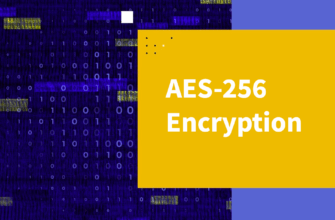
Modern programs such as MS Word, Excel and Adobe Acrobat allow users to set passwords for documents they create. This creates the illusion of security, because most people believe that it is enough to enter a complex password – and the data is under reliable protection. However, how exactly the information is protected “under the hood” usually remains behind the scenes: users do not know what encryption algorithms are used and how resistant they are to hacking. One of the few exceptions is BitLocker – a built-in Windows encryption tool designed to protect disks and individual files. In the latest versions, this system uses the AES algorithm with a 256-bit key in XTS mode – this is a reliable minimum for protecting confidential data recognized in the professional environment. The principle of BitLocker is simple: when you save a file to disk, it is automatically encrypted. Access to it is possible only by entering the correct password. This approach does not require the purchase of specialized equipment – only software, which makes it especially attractive for companies and private users.
But do not forget about the pitfalls. No matter how reliable encryption is, its vulnerability begins with the human factor. If an intruder manages to guess or steal a password, he will gain full access to encrypted information. And this is direct evidence that encryption alone is not enough without a comprehensive approach to security. In addition, software encryption can significantly load the system. When working with large files, such as videos or archives, users may experience slowdowns and crashes. This can be annoying and interfere with productive work. There is another critical point: loss of access. If you forget your password, and the backup keys were not saved or lost, it will be almost impossible to restore access to the data. This emphasizes the need for proper password management and regular backups. In the end, software encryption solutions such as BitLocker are indeed capable of providing a high level of protection. But they are not a panacea. Without a responsible approach to security—from storing passwords to creating backups—even the most reliable technology can result in the loss of valuable data.
Software-based encryption can work just fine for people who treat data protection as a nice-to-have feature rather than a must-have.
If you’re just looking to add a bit of extra security to your files, email, or cloud storage, these tools — which let you lock access with a password — might be all you really need.
But here’s the problem: most software encryption doesn’t block repeated password attempts. That opens the door for brute-force or dictionary attacks, where hackers run automated tools to guess your password over and over again until they get it right.
Sadly, it’s easier than you think — the internet is full of programs built specifically to crack encrypted files. And since many people still stick to short passwords — often around 8 characters — modern computers can plow through over a billion guesses every single second. That means it might only take minutes to break into your data, leaving it wide open. To make things harder for attackers, experts recommend using passwords with at least 12 characters. Longer passwords slow down brute-force attempts and make cracking much more difficult.
If you’re serious about protecting your files, a much stronger approach is to go with hardware-encrypted USB sticks or external SSD drives. These use military-grade AES 256-bit encryption in XTS mode — widely recognized as one of the strongest defenses against brute-force hacks. Want to step it up even more? Choose a complex password with 12 to 16 characters, or even better, use a passphrase made of several random words that add up to 12 characters or more. That way, you’re not just locking your files — you’re building a wall around them.
Hardware encryption
Unlike software encryption that relies on the computer’s main system, hardware encryption takes place on a separate, secure microchip built just for that purpose. This chip handles both user authentication and data encryption entirely on its own. Since it operates outside the regular system, it’s much harder for hackers to reach. And for your computer, that means encryption runs faster and smoother—because the chip takes over all the work.
Drives with hardware encryption do cost more than regular ones with software protection. But that’s because they come with specially built components and advanced security built in from the start. Regular USB drives are just basic memory sticks with no real defenses. Encrypted ones, on the other hand, are designed from the ground up to guard your data—even if someone steals or loses the drive.
For businesses that have to follow strict data privacy rules—like HIPAA, GDPR, or CCPA—the cost of dealing with a data breach from a missing USB stick can be way higher than just buying a secure drive in the first place. With data leaks happening more often (and hitting harder), companies can’t afford to take chances. Stronger protection isn’t just smart—it’s necessary.
At the end of the day, it’s really a question of what your private data is worth to you—and how much risk you’re willing to take.
Hardware vs. Software Encryption
There are several solid reasons why choosing hardware encryption is a smart and secure move:
- Much harder for hackers to break through: Devices like those in the Kingston IronKey family are purpose-built to stand strong against digital attacks—unlike software-encrypted alternatives. These drives come equipped with built-in mechanisms to stop brute-force attempts in their tracks. For example, if someone tries to guess the password too many times, the device can track those failed attempts and automatically wipe all data using cryptographic deletion. This kind of defense makes hackers think twice—most prefer targeting software-based systems because they’re far easier to exploit.
- Physically tough and tamper-proof: Hardware-encrypted drives that meet the FIPS 140-3 Level 3 standard—set by the U.S. National Institute of Standards and Technology (NIST)—are designed not just for digital security, but physical protection too. These devices are filled with a special epoxy resin that hardens around the internal parts, making it incredibly difficult to access or alter anything without damaging the drive. Top-of-the-line models like the IronKey D500S and IronKey Keypad 200 (awaiting full certification) go even further. They include safeguards like automatic shutdown if they detect extreme heat, abnormal voltage, or signs of tampering. They also run self-checks when powered on and will disable themselves instantly if something seems off—all critical features required by the FIPS Level 3 standard. For a storage device to be officially FIPS 140-3 Level 3 certified, it must pass an in-depth, independent inspection by professionals in the IT security field — specifically in NIST-accredited labs. These labs put the device through detailed testing to ensure every security claim holds up. NIST, the body behind the AES 256-bit encryption trusted across U.S. government sectors, sets a very high bar. Earning Level 3 certification is a long road that can take years, but it shows customers the product is built to resist hacking attempts and meets the strictest compliance standards.
- Portability: You won’t always be dragging your desktop or even your laptop around — but a small encrypted USB or external SSD? That can go anywhere. You don’t need to take risks by sending sensitive documents to your lawyer or accountant via email, or rely on cloud storage with unknown vulnerabilities. With a device like the IronKey Vault Privacy 80ES, your private data stays offline and in your hands. Back up as much as 8TB, no internet required, all within a secure space you fully control.
- Meeting legal and industry standards: Data encryption isn’t just a best practice — in many parts of the world, it’s mandatory. U.S. healthcare providers must follow HIPAA rules, while businesses in the EU must meet GDPR requirements. Kingston IronKey drives help you meet those demands easily, with always-on encryption and powerful authentication. You can lock access using strong passwords or passphrases — up to 64 characters, or up to 128 on the D500S model. These drives are designed to defeat brute-force attacks, and if tampering is detected, they can automatically wipe the data and reset, leaving nothing behind.
Data recovery
Recovering lost data is one of the key differences between hardware and software encryption. BitLocker from Microsoft offers a recovery key you can save or print just in case. On the other hand, Kingston’s IronKey drives support several passwords, giving you more flexibility if you forget one—or even a few.
As ransomware continues to spread, backing up your files regularly has become more than just a best practice—it’s a must. No matter what type of encryption you use, the 3-2-1 backup method is the safest route: make three copies of your data, store them on two different types of drives or devices to avoid total failure, and keep one of those copies in a separate location. The IronKey VP80ES makes a great backup companion, offering between 1TB and 8TB of storage. Most standard IronKey USB drives offer up to 512GB.
Many users rely on cloud backups, but those come with their own risks. After all, cloud storage means trusting your data to someone else’s infrastructure. If the cloud is suddenly offline or compromised, restoring your files—or even getting back to work—might be delayed. Even major cloud providers have fallen victim to ransomware, which can slow down or block access altogether.
Hardware-encrypted drives deliver stronger and more complete protection than software-based options, truly locking down your important files. Ultimately, it comes down to one thing: how important your information is to you—and what kind of protection will give you peace of mind.