Imagine data transmission as a high-rise building. Each floor has its own function, but together they all work like clockwork. The OSI (Open Systems Interconnection) reference model is something like that building. It’s not a protocol, but rather a universal language so network engineers, programmers, and administrators can understand each other instantly. Talking about TCP segments, Ethernet frames, or HTTP? OSI helps everyone speak the same language.
The concept was conceived in 1984 as an international standard. Ironically, it didn’t become the foundation of the internet—by that time, TCP/IP was already king. But OSI has firmly established itself as the gold standard in IT. It’s used for learning, building networks, and troubleshooting problems.
- So where is the OSI model used today?
- From theory to practice: how does OSI help in work?
- Network Troubleshooting Using the OSI Model: A Seasoned Technique
- The Seven OSI Layers: What’s Really What
- Physical (L1) – the foundation of the network
- Data Link (L2) — Working with Neighbors
- Technologies: Ethernet, Wi-Fi (802.11).
- Network (L3) — internet logistics
- Transport (L4) — reliability or speed?
- Session (L5) — dialog controller
- Presentation Layer (L6) – a translator for applications
- Application (L7) — the layer we see
- The OSI Model and Real Protocols
- Comparing OSI and TCP/IP: Theory vs. Practice
- Idea and Essence
- Structure: How many layers?
- History of Adoption
- Pragmatism versus Idealism
- How do the layers relate?
- The difference in diagnosis in practice
- Evolution and those who break the rules
- Security and where to place services
- Different approach to standards
- Why the OSI Model is Still Relevant: An Insider’s View
- Bottom line: not a confrontation, but a symbiosis.
- Criticism of the OSI Model
- Extra layers?
- History: Why TCP/IP Won
- Philosophy: Working Simplicity vs. Ideal Theory
- Level Mapping
- What does this look like in practice?
- Rule Breakers and Evolution
- Security: Where to Encrypt?
- Result: Different Paths to Standardization
- Why the OSI Model is Still Relevant: Systems Thinking vs Practice
- The bottom line: not competition, but symbiosis.
- So what are OSI’s shortcomings?
- Extra layers?
- Complexity and Slowness
- Layer Boundaries: Reality Versus Theory
- Protocols That Didn’t Take off
- Misperceptions in Teaching
- Why has OSI remained in the shadows of history?
- A Theory That Never Died
- In Conclusion
- What to remember
So where is the OSI model used today?
It’s everywhere, even if completely different protocols are operating “behind the scenes.”
Training It’s easy to explain to first-year students that Ethernet is layer 2, while seniors already understand how TCP manages flows at layer 4.
Documentation. It’s much easier to write “a network layer problem” in a specification than to delve into the intricacies of IP routing every time.
Communication. When a data center administrator says, “We’re seeing packet loss at layer 3,” the team immediately understands that the problem is in the router, not a broken cable. This is the universal vocabulary.
From theory to practice: how does OSI help in work?
One of the model’s greatest advantages is its clarity. Instructors often compare it to sending a regular letter.
- Physical (L1) is the envelope itself and the work of the postman.
- Link (L2) is the apartment address on the envelope.
- Network (L3) is building a route across the city.
- Transport (L4) is ensuring that the letter isn’t lost and arrives intact.
- Session Layer (L5) — the beginning of a dialogue between two people.
- Presentation Layer (L6) — encryption to prevent third parties from reading the content.
- Application Layer (L7) — the actual email body, which is finally seen by the recipient.
In documentation, the model serves as a framework for systematization: for example, TLS is classified as a presentation layer, and DNS as an application layer. In debugging, it becomes a checklist: the engineer sequentially checks the layers to find the source of the problem, from a simple cable break to a complex HTTP request error.
Network Troubleshooting Using the OSI Model: A Seasoned Technique
Almost every system administrator who’s ever tinkered with a network has used the OSI model for troubleshooting. What’s the point? We go from simple to complex, step by step.
- L1 is the physical layer. It all starts with the basics: is the cable plugged in correctly? Is there a signal? Perhaps the port on the switch is simply administratively disabled.
- L2 is the data link layer. Here, we look at MAC addresses. If the switch doesn’t see the MAC address of the device we need, there’s no connection, and you can stop guessing.
- L3 is the network layer. We move on to IP addresses and routes. A common problem is when a device receives an invalid address, causing its packets to wander off into thin air.
- L4 is the transport layer. This is where TCP and UDP reign supreme. The first might not shake hands because of a firewall, while the second might lose packets, resulting in stuttering and artifacts during a video call.
- L5 is the session layer. Sometimes a session, for example, SMB, is unexpectedly terminated due to authorization failures.
- L6 is the presentation layer. A classic example is TLS certificate errors, which cause the browser to flatly refuse to open an “insecure” website.
- L7 is the application layer. The server could be to blame, returning a “500 Error,” or DNS, which suddenly stopped understanding names.
The essence of the OSI model is its systematic approach. Instead of randomly checking, you methodically move through the layers, eliminating entire layers of possible causes.
The Seven OSI Layers: What’s Really What
The theory is certainly strict and unambiguous, but in practice, the boundaries between layers are often blurred. We’ll discuss practical details separately, but first, let’s understand what each layer represents.
Physical (L1) – the foundation of the network
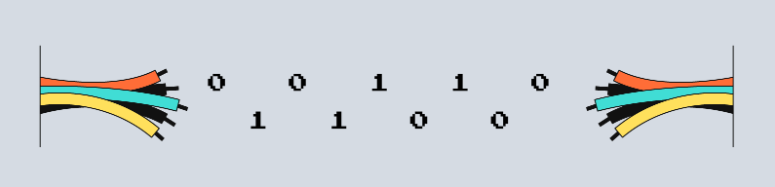
This is the lowest, “hardware” layer. It describes how zeros and ones are converted into electricity, light in fiber optics, or radio waves.
- What it includes: Cables (twisted pair, fiber optics), Wi-Fi, Bluetooth, connectors.
- What it’s responsible for: Signal, its voltage, speed (those same 100 Mbps or 1 Gbps), device synchronization.
- If it breaks: There’s simply no internet. Often, the problem can be solved simply by re-plugging the cable or fixing the broken part.
Fun fact: It’s at L1 that the decision is made whether more can be squeezed out of the “wires” than advertised. Cat 5e cable is officially rated for 1 Gbps, but over short distances, it’s sometimes possible to achieve speeds up to 2.5 Gbps. However, stability is at your own risk.
Data Link (L2) — Working with Neighbors
Here, data is packaged into frames, and MAC addresses appear—unique identifiers for network cards. This layer facilitates communication between devices on the same local network.
Technologies: Ethernet, Wi-Fi (802.11).
Main Functions: Data packaging, error checking (CRC), media access control (to prevent everyone from talking at once).
Sublayers:
- MAC (Media Access Control): Decides who can transmit. Wi-Fi, for example, uses a clever wait mechanism for this.
- LLC (Logical Link Control): Serves as a link between the hardware and higher-level protocols, ensuring they understand what kind of data has been received.
- Typical Problems: Accidentally created loops, VLAN conflicts, or, less commonly, duplicate MAC addresses.
Network (L3) — internet logistics
This is the routing layer that allows packets to travel between different networks. Its main character is the IP address.
- Protocols: IPv4, IPv6, ICMP (ping), OSPF, BGP.
- How it works: When you visit a website, L3 plans the packet’s entire path through dozens of routers.
- If something goes wrong: The server can’t be pinged. Packets are lost due to incorrect routing.
Why IPv6 is important: It solves the acute problem of address shortages in good old IPv4, paving the way for millions of smart devices.
Transport (L4) — reliability or speed?
This layer ensures that data arrives safe and sound, and in the correct order.
Key players:
- TCP: Reliable, but slow. First, it “gets acquainted” (a three-way handshake), then transmits and verifies. Websites and email rely on it.
- UDP: Fast and reckless. Sends data without unnecessary ceremony. Ideal for calls and streaming, where packet loss is not a catastrophe, but a minor nuisance.
Problems: Connection drops, high latency. Sniffers like Wireshark are used for analysis.
Session (L5) — dialog controller
Establishes, maintains, and terminates communication sessions between applications.
- Example: An SMB session when connecting to a network share.
- Its role: It ensures that your access to the file resource is not interrupted due to a short-term failure at the lower layers.
- A failure looks like this: Messages like “The session was interrupted” or “Unable to connect to the folder.”
Presentation Layer (L6) – a translator for applications
Its job is to transform data into a form understandable to applications.
- What it does: Encryption (SSL/TLS), compression (ZIP, JPEG), encoding conversion.
- Without it: The browser would not be able to read encrypted data from a website or parse JSON.
Classic error: The infamous “Your connection is not secure” error in bruser due to certificate issues.
Application (L7) — the layer we see
This is the interface between the network and the user. The protocols we interact with directly.
What lives here:
- HTTP/HTTPS — for web surfing.
- DNS — converts “yandex.ru” into an IP address.
- SMTP — sends your email.
L7 errors are what the end user sees: “Page not found (404)”, “Server error (500)”, or “Unable to resolve DNS name.”
The OSI Model and Real Protocols
The OSI model is essentially an ideal map, but how do real protocols align with it? Let’s look at where they are typically defined:
- Ethernet is our foundation, the data link layer (L2).
- IPv4/IPv6 are routers and addresses, i.e., the network layer (L3).
- TCP/UDP are responsible for data delivery, representing the transport layer (L4).
- TLS operates primarily at the presentation layer (L6), handling encryption.
- HTTP, DNS, and SMTP are familiar applications that live at the application layer (L7).
However, life always makes adjustments. Some protocols refuse to fit within strict frameworks. TLS, for example, often utilizes application layer (L7) functions.

Comparing OSI and TCP/IP: Theory vs. Practice
Imagine the difference between a detailed architectural drawing and a cozy home already inhabited. So, OSI is that perfect blueprint with seven layers. And TCP/IP is the very foundation on which the entire modern internet essentially grew.
Let’s compare them in more detail to understand why practice trumps theory.
Idea and Essence
OSI is a concept, a reference standard. Its main goal is to beautifully and logically decompose the data transfer process into layers. Invaluable for teaching and design, but a bit out of touch with reality.
TCP/IP is not a theory, but a ready-made set of protocols created to solve specific problems. It is the very foundation upon which data “flows” around the world every second.
Structure: How many layers?
OSI is a strict hierarchy of seven layers: from physical (L1) to application (L7).
TCP/IP is a more pragmatic and concise structure. It usually distinguishes only four layers (sometimes five). Importantly, the three top layers of the OSI model (session, presentation, and application) merged into a single layer—application—in TCP/IP.
History of Adoption
TCP/IP was in the right place at the right time. It was implemented and put into use before OSI had even completed its long standardization process. While theory was refining its complex architecture, practice had already conquered the world. TCP/IP’s simplicity and performance made it mainstream.
Pragmatism versus Idealism
Two approaches clashed here. TCP/IP operates by the principle of “if it works, it works well,” valuing simplicity and efficiency. The OSI model, by contrast, strives for architectural purity, where each layer has its own specific responsibilities. This is why engineers adore TCP/IP, and educators adore OSI.
And in TCP/IP, data, of course, passes through layers with encapsulation (when a packet is “wrapped” within another). A TCP segment becomes an IP packet, which in turn is placed into an Ethernet frame. But the boundaries here are often blurred, which confirms its practical nature.
How do the layers relate?
To make it easier to navigate, here’s a visual mapping table:
The difference in diagnosis in practice
Imagine that you are looking for the cause of a problem on a website. Most likely, you will mentally build a chain of four TCP/IP levels (channel → IP → TCP → HTTP). It’s fast and convenient.
The OSI model itself paints a clearer picture without distortion. It allows you to dig deeper: separately analyze, say, the session level (L5), if sessions with the server are important, or the presentation level (L6) to check TLS certificates or encoding. In fact, both approaches are often combined: they start with a quick TCP/IP inspection, and for complex cases they connect an OSI “magnifying glass”.
Evolution and those who break the rules
In conventional networks, the division into levels is not always clear. For example, MPLS puts its labels between the second and third levels. NAT changes addresses in the network (L3), which breaks the principle from end to end. And a VPN generally hides one IP packet in another using IP, UDP or TCP.
The new protocols are even bolder and break down the old rules. Take QUIC: it runs on UDP, but it does what TCP usually does, for example, it monitors congestion. It turns out that practice forces us to change our minds about rigid limits.
At the same time, the OSI model is still useful for learning, but its strict structure should not be taken too seriously.
Security and where to place services
The backfill question is: where is it better to implement encryption — at the presentation layer (L6 in OSI) or as a service at the application or transport layer? In real life, TLS most often runs on top of TCP, that is, it is located between L4 and L7. It turns out that OSI theoretically offers a place for this, but the harsh reality of TCP/IP makes it just an add-on or part of an application.
Different approach to standards
That’s the whole difference in approach. OSI is a complex and unwieldy system with a bunch of rules and interfaces. And TCP/IP is a simple and understandable RFC instructions, everything is faster and easier with it, the main thing is that everything works as it should with benefit. That’s why everyone chose TCP/IP: it was important for companies to quickly launch new products and easily combine them with others.
Why the OSI Model is Still Relevant: An Insider’s View
Today, an engineer can easily understand TCP/IP without having to look at ISO/IEC 7498. But OSI helps them understand how a network is structured: break everything down into layers and understand where the cable ends and the protocol begins.
This model is useful not only for theory but also for training the brain. When something goes wrong with a network, the specialist recalls all the layers, from the signals in the wires to the program itself.
OSI also teaches systemic thinking. Nowadays, in IT, everyone usually does one thing: some configure servers, some write code, some manage routers. OSI shows how all of this comes together to form a single, complex communications system.
For those just starting out, this is a great way to understand that everything on the internet operates according to specific principles. Everything operates according to rules, with each protocol and each function having its place.
Bottom line: not a confrontation, but a symbiosis.
Comparing them doesn’t mean looking for a winner. They’re about different roles: TCP/IP is a working tool, while OSI is a method of thinking. For an engineer, both are valuable: TCP/IP provides a practical roadmap (“what to do”), while OSI provides a deep understanding (“why things work this way”).
Criticism of the OSI Model
Although the 7-layer OSI model will be adopted by the ISO/IEC 7498 standard, it has its shortcomings. Let’s examine the main criticisms voiced by the professional community.
Overly academic and out of touch with reality.
OSI is a promising theory, but reality is a bit different. The clear division into layers it proposes doesn’t always correspond to real-world solutions.
Take TLS, for example. It’s supposed to be a presentation layer, but it’s usually layered on top of TCP and managed as part of the application. So, it’s easier to think of TLS as simply an add-on or even an appendix, rather than an example of layer 6.
If newcomers take this model too seriously, they might expect a strict organization, but in reality, it’s much simpler and more flexible.
Extra layers?
The functions of the session (L5) and presentation (L6) layers in improved stacks are often not separated into separate entities. Their responsibilities are assumed by the application or the transport and application layers.
Session management is now more often implemented at the application level—via JWT, HTTP cookies, or WebSockets. The same applies to data representation and encoding—they are handled by the application (using JSON, Protobuf), not some abstract layer 6.
In practice, these layers often remain empty, which is what creates the feeling of redundancy in the model.
- Comparing the OSI and TCP/IP Models: Theory vs. Practice
- Number of Layers: Strict Hierarchy vs. Practical Minimalism
The OSI model consists of seven canonical layers: from the physical (L1) and data link (L2) to the network (L3), transport (L4), and then session (L5), presentation (L6), and application (L7).
TCP/IP is much more concise: it usually refers to four or five layers. These are, roughly speaking, the data link (link), network (internet), transport, and application. Note how the three top layers of OSI are seamlessly combined into one in TCP/IP—the application layer. This alone demonstrates the difference in approach.
History: Why TCP/IP Won
A simple explanation of “what’s good” proved insufficient. TCP/IP was implemented and began working in practice earlier, which predetermined its widespread adoption. The OSI model, with its structural advantages, had its origins in standardization—a slow and rather bureaucratic process. Ultimately, its implementation proved more complex, and it was less suitable for rapid network deployment.
Philosophy: Working Simplicity vs. Ideal Theory
There were two schools of thought here. TCP/IP operates by the principle of “if it works, it works well”: minimal complexity, easier to implement. OSI is the ideal of a strict architecture, where each layer has its own clear responsibilities. It’s not surprising that engineers value the first approach in their work, while educators value the clarity and clarity of the second.
Imagine the process of sending data: in both models, information passes through layers, accumulating overhead (encapsulation) and then removing it (decapsulation). But in TCP/IP, the boundaries between these stages are often blurred. For example, a TCP segment is easily packaged into an IP packet, which then becomes an Ethernet frame.
Level Mapping
A handy mapping map for easy understanding:
What does this look like in practice?
Imagine: the website isn’t opening. What are you doing? You likely perform diagnostics regularly—is there an internet connection, is the IP address working, is the TCP connection normal, and is the HTTP request going through? The OSI model is like a magnifying glass, allowing for more detailed analysis. It can be used to examine how a session is established, whether there are any issues with the SSL certificate or encryption. Typically, they do a quick TCP/IP check first, and if the problem is complex, they delve into the OSI details.
Rule Breakers and Evolution
In practice, networks rarely correspond to what textbooks teach. Many technologies easily jump between layers. For example, MPLS adds its labels somewhere between L2 and L3. NAT changes network addresses, which makes direct communication between devices impossible. And new things like QUIC completely change everything: it runs on top of UDP, but does what TCP usually does. In short, life goes on and forces us to change the rules.
Security: Where to Encrypt?
In theory, encryption should be at the presentation layer (L6) in the OSI model. But in TCP/IP, things are different—take TLS, for example. It’s usually layered on top of TCP, that is, between the transport and application layers. It turns out that OSI essentially provides a place for such services, while TCP/IP simply adds them on top.
Result: Different Paths to Standardization
OSI is a very thorough approach: tons of text, strict rules. TCP/IP, on the other hand, was developed through RFCs—it’s simpler, faster, and the main thing is that everything works together. That’s why TCP/IP won: everyone needs speed, easy connectivity, and everything working together.
Why the OSI Model is Still Relevant: Systems Thinking vs Practice
Today’s engineer is perfectly content with TCP/IP and doesn’t need to know the ISO/IEC 7498 standard. However, the OSI model helps understand how a network is structured: classifying each aspect into layers and seeing where the cable ends and the protocols begin.
The model being developed isn’t just boring theory; it’s excellent brain training. When something goes wrong in a network, a specialist checks all the layers in turn, starting with a simple signal and ending with complex applications.
OSI teaches us to see IT as a system. Nowadays, everyone in IT is focused on something specific: some configure servers, some write code, and some manage routers. The OSI model shows how all these things are interconnected and work together.
For those studying or just starting to work with networks, this is the best way to understand that there’s nothing magical about the internet. It’s all logical: it’s a clear workflow of layers, and each protocol and function has its place.
The bottom line: not competition, but symbiosis.
Comparing them doesn’t mean looking for a winner. We’re talking about different roles: TCP/IP is a workhorse, a practical tool. OSI is a mind map, a methodology. An experienced engineer needs both approaches: TCP/IP provides clear instructions on “what to do,” while OSI answers the question of “why it works this way.”
So what are OSI’s shortcomings?
Although the 7-layer OSI model is the official ISO/IEC 7498 standard, it certainly has its weaknesses. Let’s examine the main complaints raised by the IT community.
Too academic and out of touch with reality.
OSI is flawless in theory, but in practice, networks are designed differently. Strong layer boundaries often have nothing to do with real-world engineering decisions.
Take the TLS protocol, for example. It’s commonly considered a presentation layer, but in reality, it’s deployed on top of TCP and managed as part of the application stack. Therefore, it’s much more practical to consider TLS not a separate layer, but a superstructure. Beginners who blindly follow the model can waste a lot of time trying to find that strict modularity that simply doesn’t exist in reality.
Extra layers?
Session layer (L5) and presentation layer (L6) functions are often either absent from modern stacks or implemented directly in applications.
Session management is now an application layer concern (think JWT, HTTP cookies, or WebSocket). The same applies to data representation and encoding—JSON, Protobuf, and other formats operate within the application, not some abstract L6.
In practice, these layers are often empty, making the model seem redundant and not always justified.
Complexity and Slowness
OSI-based technologies (such as the CLNP network protocol or the X.400 messaging system) were complex and expensive to implement. TCP/IP, however, proved far simpler and more viable.
The industry opted for what was already working and didn’t require titanic efforts to implement. As often happens, practice triumphed over ideal theory.
Layer Boundaries: Reality Versus Theory
In actual use, network technologies often deviate from the established norms of the OSI model. Take, for example, MPLS, NAT, VPN, or SDN—they all, in one way or another, fall outside the model.
- OSI is often presented as layers operating separately, but this isn’t entirely true.
- MPLS, for example, adds its own labels between the data link and network layers, blurring the boundaries.
- NAT, by changing IP addresses at the network layer (L3), violates the principle of direct communication between sender and receiver, which is at the core of the model.
- QUIC demonstrates a new approach where transport functions run on top of UDP, blending the concerns of different layers.
It turns out that the precise OSI specifications don’t always align with the way engineers work, for whom speed and stability are paramount, rather than following an abstract schema.
Protocols That Didn’t Take off
Many of the specifications that were part of OSI from the very beginning remained on paper. But the TCP/IP stack offered not just theory, but ready-made, battle-tested implementations.
So, a standard without successful implementations lost. The industry voted for what was already working here and now.
Misperceptions in Teaching
Of course, a model is an effective teaching tool. But taking it too literally can be detrimental. Students begin to think that real networks will always be perfectly modular and with independent layers, which is rarely the case in reality.
It’s much better to use OSI as a basis for reflection, but immediately demonstrate how everything works in practice in TCP/IP and modern mixed architectures.
Why has OSI remained in the shadows of history?
Why has the OSI stack failed to conquer the world? The reasons are quite pragmatic:
- TCP/IP appeared earlier and gained traction.
- The implementation of OSI was significantly more complex.
- Equipment manufacturers placed their bets on TCP/IP.
Since the 1980s, although OSI became the “official” standard, the convenience and practicality of TCP/IP outweighed it. The Internet grew on its foundation, and OSI faded into the role of a respected academic benchmark.
A Theory That Never Died
Despite its practical decline, the OSI model has not lost its value. It still:
- helps train new engineers;
- allows systematization of network architecture;
- serves as a starting point for problem diagnosis.
In Conclusion
The OSI model is a fundamental principle in network theory. It simply shows how data travels from the wires to your application.
Of course, the Internet runs on TCP/IP. But without OSI, it would be more difficult to understand, design, and troubleshoot problems. It’s like a common language that helps engineers and developers communicate about network design in a single language.
What to remember
The OSI model explains how the internet works: how electrical signals are transformed into funny pictures and how gadgets exchange all this information.
The model includes seven layers:
- physical;
- data link;
- network;
- transport;
- session;
- presentation;
- application.
Each layer has its own rules that help data be transmitted or converted into a format usable by humans.