To put it simply, a kill switch is a unique and essential feature that activates automatically when your internet connection unexpectedly drops.
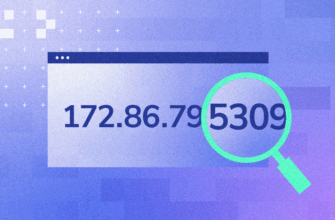
If you accidentally lose your VPN connection, your computer will quickly adopt a specific IP address. Without a functioning kill switch, your online activities could be left vulnerable to exposure, risking your privacy and security.

VPN Software Basics
A 1xVPN, or virtual private network, is a tool for maximizing online privacy by hiding a user’s real IP address and routing internet traffic through a secure, encrypted channel. However, even the most reliable VPN services are not immune to connection failures, which can put users at risk. This is where a kill switch comes in — a key security feature for those who take their digital security seriously. A kill switch is a very important mechanism that prevents data from being leaked when a VPN connection is quickly lost. It quickly blocks access to the internet, preventing the device from accessing the network until the VPN is restored. Without this tool, traffic is automatically rerouted through a standard connection to the ISP, which can expose the user’s IP address and all online activity, as if the VPN never existed.
The protection for people will be quite safe in everyday life. But for those whose work involves high risks, such as journalists investigating corruption, human rights abuses, or other serious crimes, having a kill switch is vital. In such circumstances, it is not just an optional extra, but a fundamental element of digital security.
When the Kill switch is on
Depending on the VPN application, users can choose to toggle this feature on or off based on their personal preferences and comfort levels. Generally, it’s highly advisable to keep it enabled; otherwise, there may be situations where your network traffic gets routed through your Internet Service Provider, which could lead to unauthorized exposure of your sensitive data. The kill switch is designed to be a consistent and reliable feature: when a user decides to change server locations, it remains active to ensure ongoing security. This emergency switch can be activated in various scenarios:
- When the VPN server encounters connectivity issues and unexpectedly disconnects the user.
- If the network connection is unstable or weak (for example, when using Wi-Fi with a poor signal), this feature makes sure that the connection cannot be restored through the IP address assigned by the provider, thus protecting your privacy.

Types of switches
VPN and Kill Switch — who’s in charge in case of an emergency?
When you use a VPN, it’s like you’re wearing a mask — your real IP is hidden, your data is encrypted, no one can see who you are and where you’re from. But what happens if the VPN suddenly goes down? For one or two seconds? And what if your browser or messenger decides to connect directly at that moment?
This is where Kill Switch comes into play — a safety net that won’t let a single bit of personal information leak out. But there are some nuances here too: Kill Switch comes in two types — like a security guard in a bulletproof vest and like face control at the entrance.
System Kill Switch — an armored door
Imagine: you’re at home, everything is closed, you’re safe. Suddenly the lights blink — it’s like losing your VPN. The system Kill Switch slams the doors, turns off the windows, turns off the Wi-Fi — not a single application, not a single process will be able to access the Internet until the VPN is restored. Everything that concerns the network is stopped. Reliable, tough, no compromises.
This mode is like an automatic lock on a safe: until the secure tunnel is restored, your traffic will remain locked. Even if you didn’t notice the break, even if the system was in the background, nothing will come out.
Kill Switch for applications — selective face control
Another option is more subtle. You decide which programs can only work through a VPN, and which ones can’t. Let’s say you want the browser, torrents, and Telegram to work only through a VPN, and Spotify music to continue playing even if the connection is interrupted. No problem — you set up a list, and everything is under control.
Convenient? Yes. But the risk is higher.
If some unnoticeable application — say, auto-syncing notes or an updater in the background — decides to go online at the moment when the VPN is disconnected, it will go directly. Without a mask. With your real IP.
And you won’t even know about it.
Pitfalls: who will leak into the rear?
Many applications look peaceful. But inside them there may be functions: auto-sync, background check for updates, pop-up push services. Even if it seems to you that they are “offline”, they can suddenly wake up and go outside – bypassing the VPN, if the Kill Switch did not work at the system level.
And at this moment – one IP packet, one leak, one point for deanonymization. That’s it.
How does VPN Kill Switch work?
A prime example of a Kill Switch mechanism is one that operates based on firewall rules. The primary function of the firewall is to block unauthorized access to the system. However, it is possible to create exceptions that allow users to connect to various trusted services without compromising security.
This Kill Switch cleverly utilizes that functionality to ensure that all network traffic is securely routed through a VPN tunnel. Additionally, it blocks any connections if there isn’t an active network connection, effectively minimizing the risk of your data being routed through the IP address assigned by your Internet Service Provider (ISP). This is crucial, as using the ISP’s IP could inadvertently expose your identity online.
Here’s a detailed breakdown of how this mechanism operates step by step:
- Backup Creation: Before establishing a connection to the VPN, you begin by creating a backup of your current firewall rules. This step is essential for restoring your settings later.
- Disabling Connections: Once the backup is secured, all outgoing network connections are disabled. This prevents any data from leaking out until you’re fully protected.
- Modifying Firewall Rules: Next, the firewall rules are updated to include specific exceptions. These include the local IP address of the tunnel, which is the IP assigned to your VPN device, the IP address of the VPN server that will be visible on IP detection websites, and the website of your VPN provider.
Restoring Firewall Settings: When the VPN is completely disconnected, the previously mentioned firewall rules are removed, and the backup you created in the first step is restored. By doing this, you can safely return to browsing the internet using the IP address provided by your ISP without any concerns over privacy.